Trust: Windows on Mac
Our two Windows-on-Mac apps — WinRun and SubWin — are designed to need zero trust of their own. Every layer that matters comes from a company you already rely on, and every claim on this page can be verified on your own Mac.
The Trust Chain
- The virtualization engine is Apple’s — both apps are built on Apple’s own Hypervisor framework, run inside the full macOS sandbox, and ship only through the Mac App Store, reviewed by Apple.
- The Windows is Microsoft’s — installed from Microsoft’s official ISO, which you download yourself, straight from the source.
- Our apps are just the thin layer in between — WinRun boots Microsoft’s Windows and displays the window it runs in, nothing more. SubWin does even less — it runs Windows headless, with no window at all; even the client you connect with every day is Microsoft’s own Windows App. Neither app has an account or a cloud service behind it.
Verify It Yourself
If you have a technical background, run the one-line codesign command shown in the screenshots below in Terminal — Apple’s code-signing tool prints every entitlement the app’s binary holds, exactly as you’ll see it on your own Mac.
WinRun
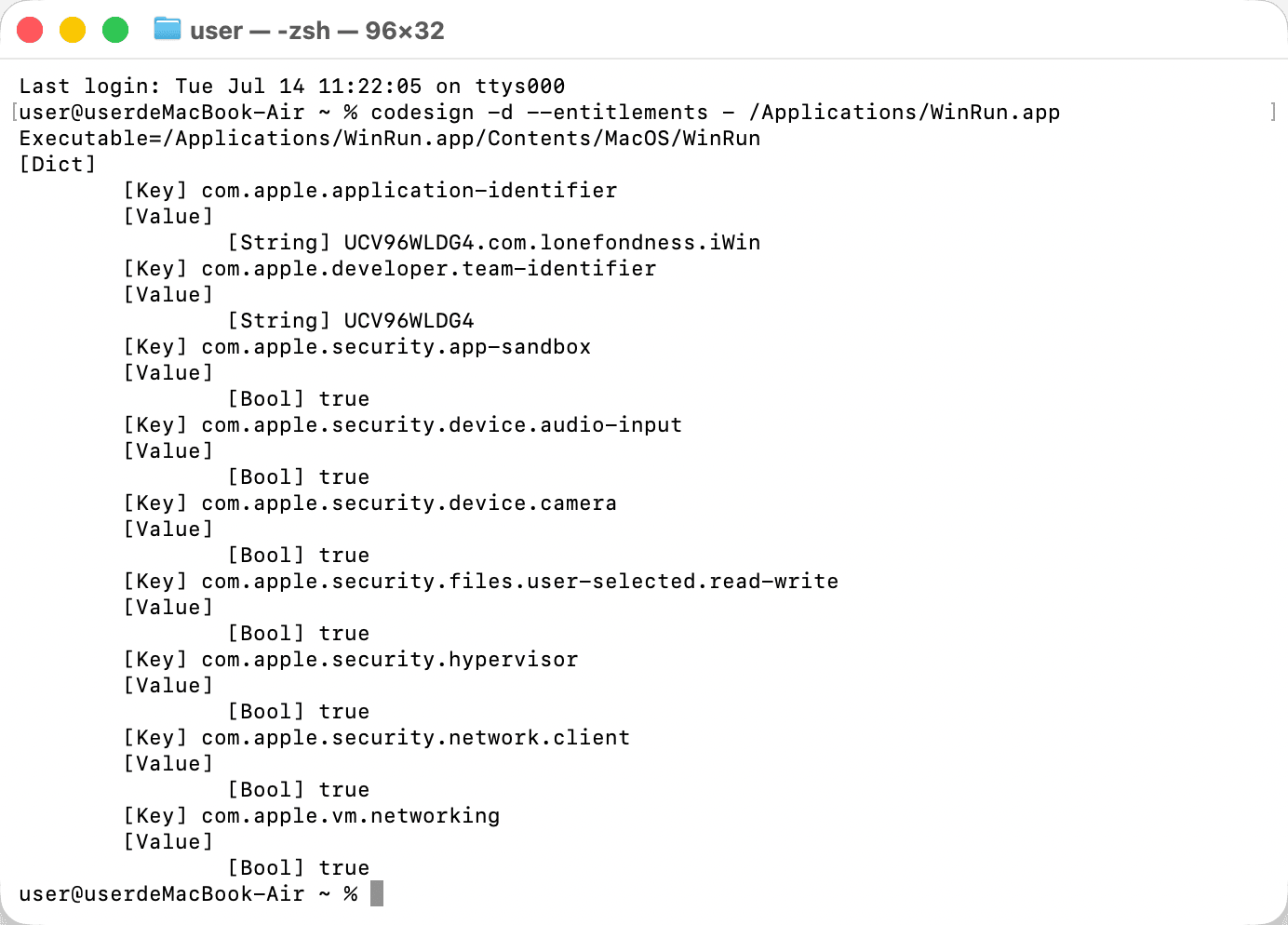
The app’s identity, the App Store sandbox, file access used only to open the Windows ISO you choose, Apple’s hypervisor, and the networking a VM needs. The only additions are camera and microphone, and they exist for exactly one feature — passing your Mac’s webcam and mic through to Windows for calls and meetings. macOS still asks for your permission the first time Windows uses them, and the system indicator lights up whenever they’re live.
SubWin
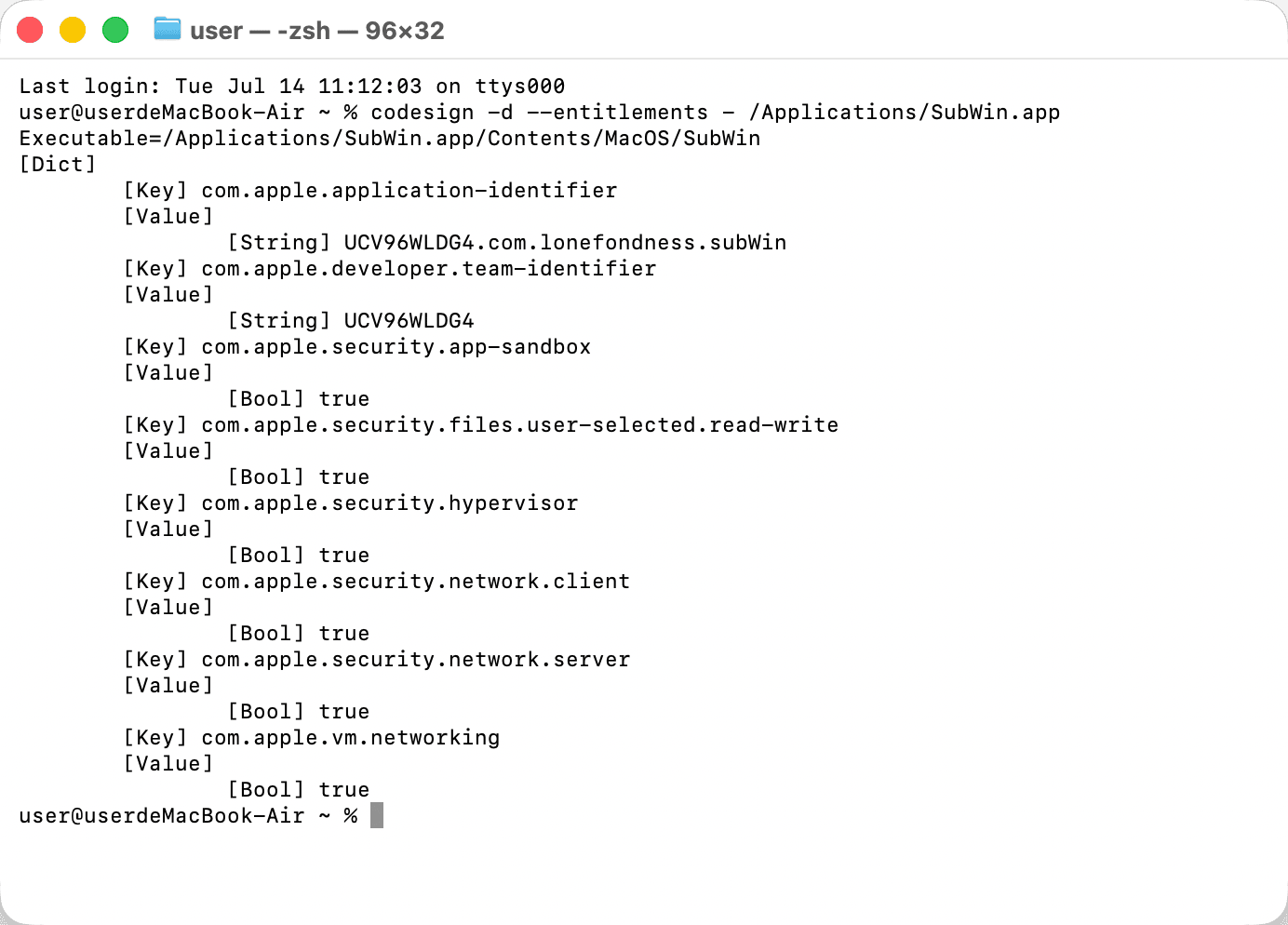
The same short list — identity, sandbox, ISO file access, hypervisor, and the networking a VM needs (including the RDP listener you connect to) — and not a camera or microphone entitlement anywhere.
The Bridge Between Windows and macOS
A few small components connect the two systems — an agent inside Windows, plus a helper for WinRun. They let Windows and macOS talk to each other; without them, your Mac would have no way to know what’s happening inside Windows, and the basic features could not work.
None of these components make any internet connections. Each is purely a local endpoint between Windows and macOS on the same Mac.
Watch the Network
Entitlements cover what the apps can do; watching the network shows what they actually do. Point a monitor of your choice at either app for as long as you like: no packets to any unexpected server — only Windows itself talking to Microsoft, exactly as a real PC would. We hope each check brings you a little more peace of mind — and that Lone Fondness leaves you feeling genuinely cared for.